
Reward Chart for Kids
A free online star chart: tap to give a star for good behavior, chores or potty wins, and let your kids trade their stars for rewards you choose. One chart per child, saved to your account.
How to use it
It takes about five minutes: sign in, add your child, set a few rewards with a star price, then tap Add Star whenever they earn one. When a reward turns green, tap Redeem together; the stars are spent and it goes on their list of rewards earned. Every child gets their own chart.
📸 Step-by-step guide with screenshots
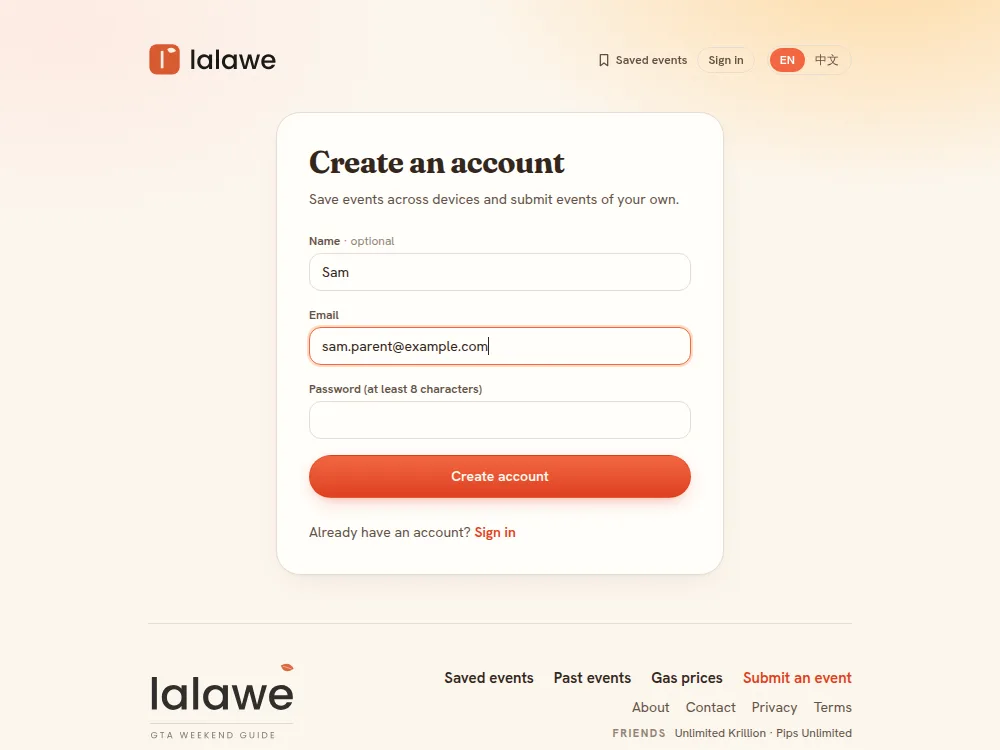
Step 1: Sign in or create a free account
Tap Sign in to start above and use Google or an email and password. The chart lives on your account, so it is the same on every phone and tablet you sign in on, and both parents can share it.
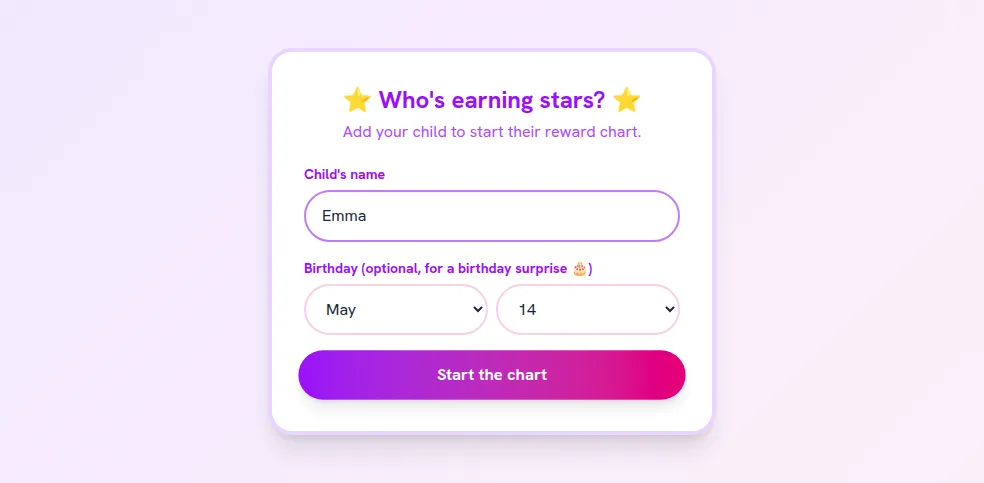
Step 2: Add your child
Type your child's name and tap Start the chart. The birthday is optional: on the day (Toronto time) their chart opens with a shower of birthday cakes.
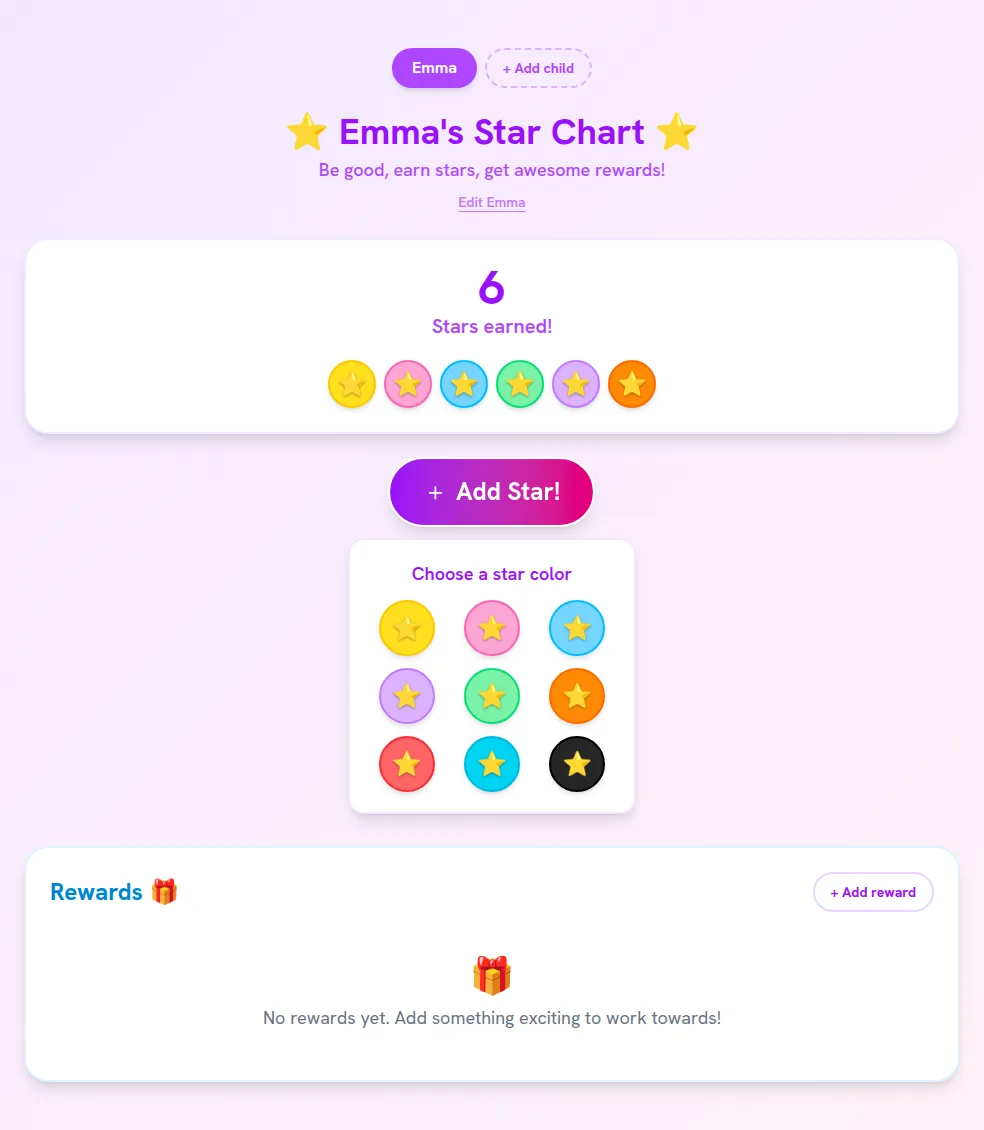
Step 3: Give a star
Tap Add Star! and pick a color; letting your child choose is half the fun. A cheer pops up with a sound and the star joins their chart. Tapped by mistake? Tap the star and confirm to take it back.
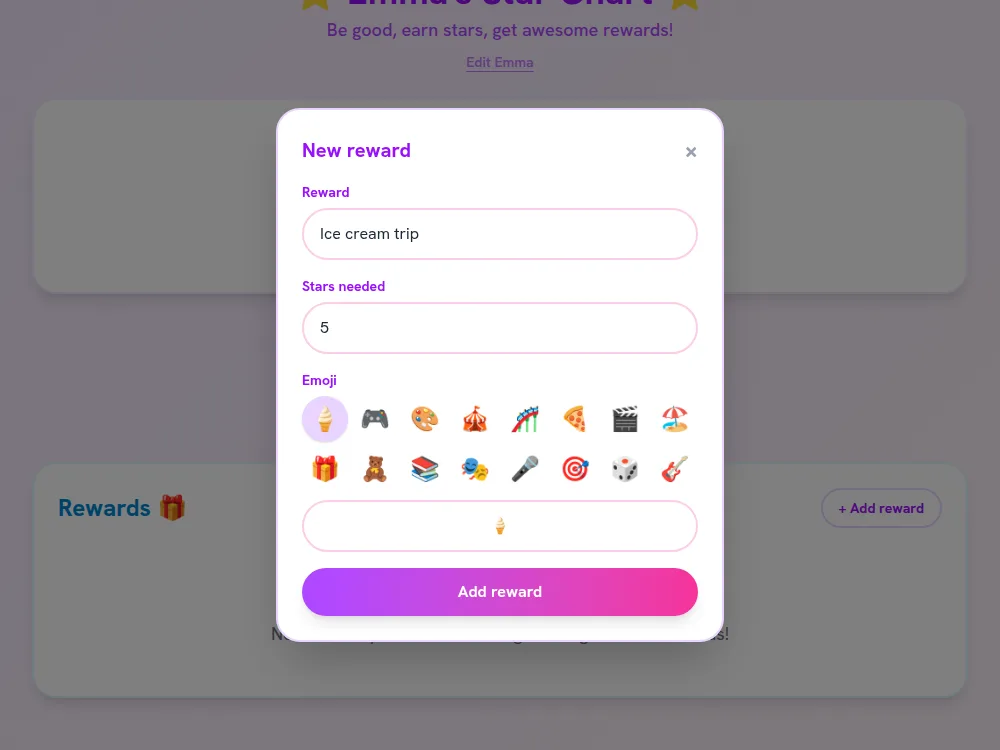
Step 4: Set up rewards
Tap + Add reward, name it, set how many stars it costs and pick an emoji. Each reward card shows a progress bar and how many stars are still to go, so kids can see the goal getting closer.
Step 5: Watch the stars add up
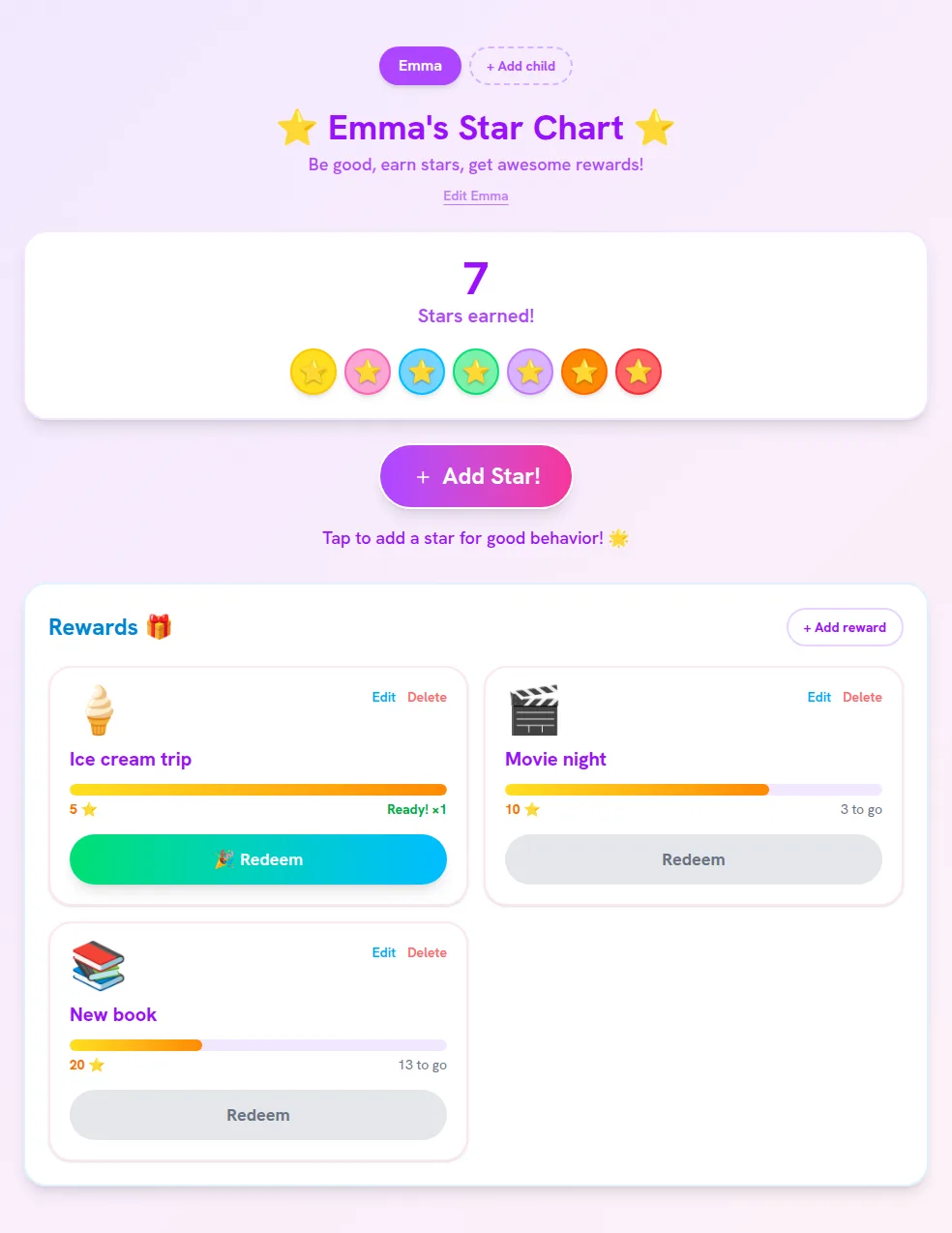
The chart shows the star count, every star earned (hover or long-press for the date) and the rewards, cheapest first. When there are enough stars, the reward's button turns green.
Step 6: Redeem a reward
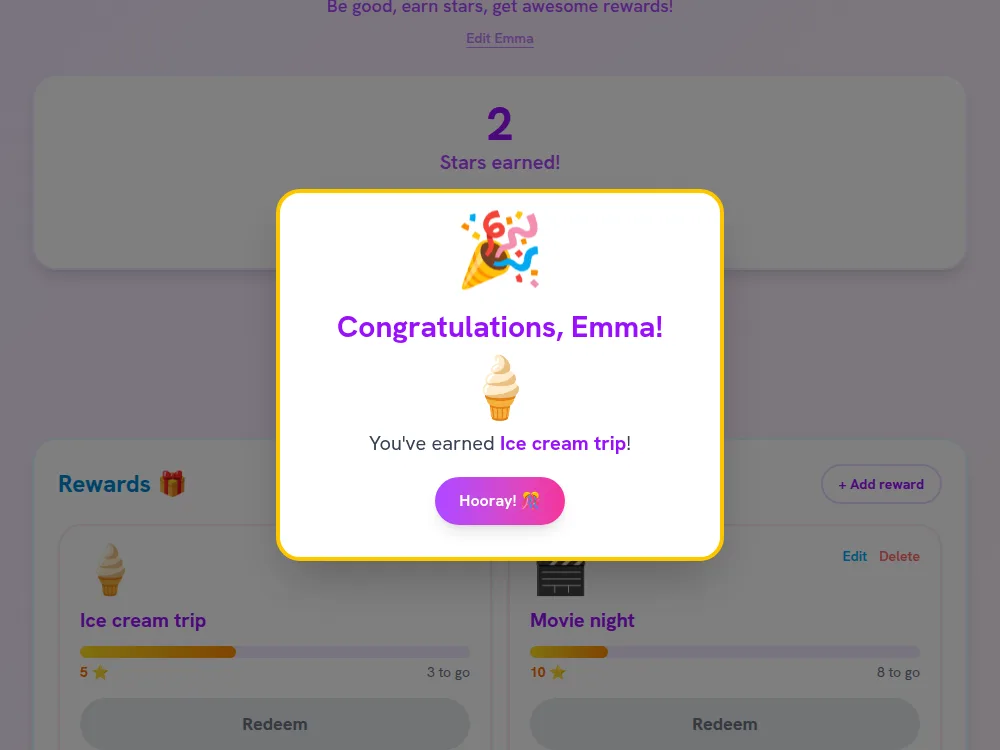
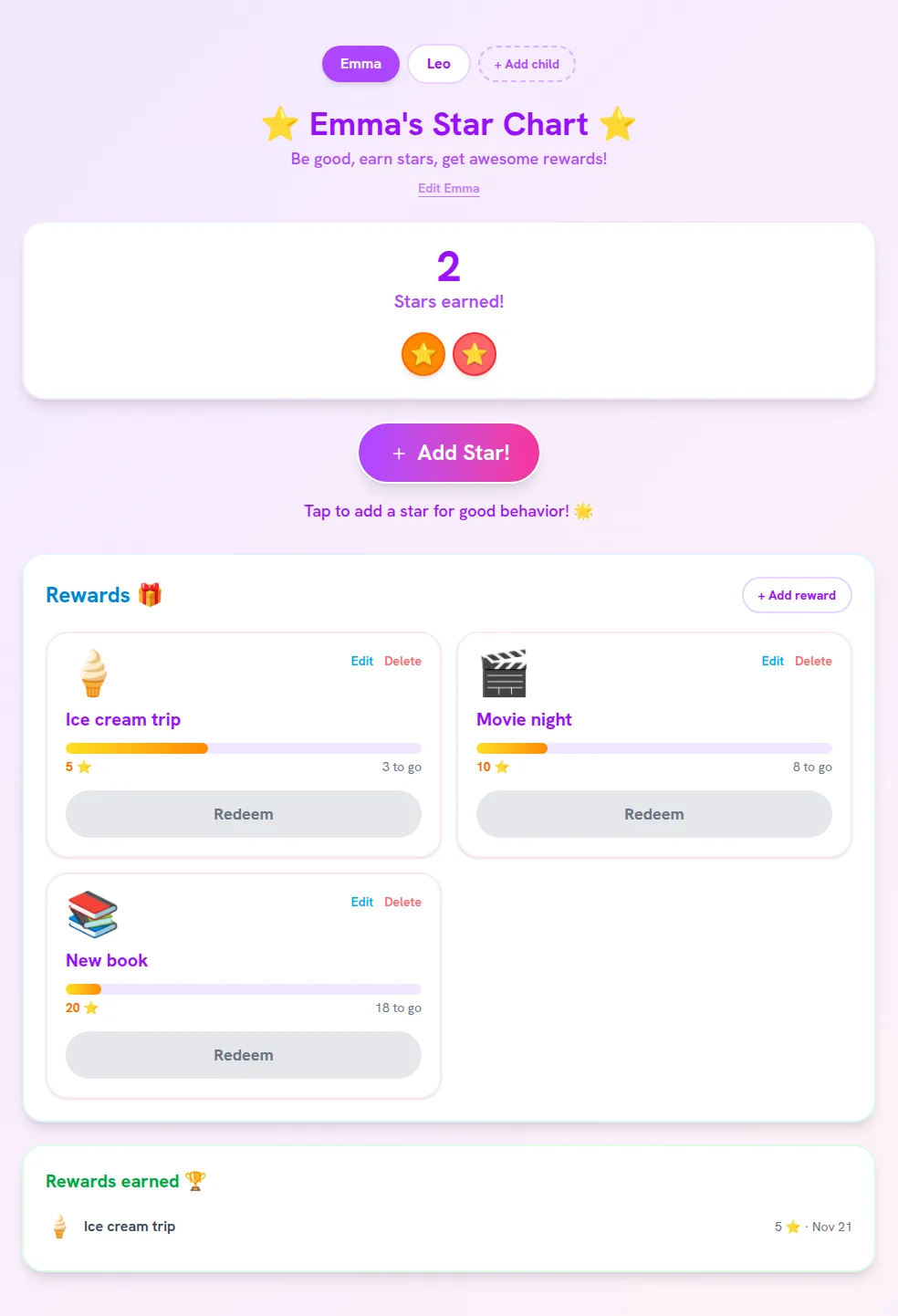
Tap Redeem together. The stars are spent (oldest first), a celebration plays, and the reward is added to Rewards earned with the date, a nice record to look back on.
Step 7: Add more children
Tap + Add child for each brother or sister. Every child has their own stars and rewards; switch with the name buttons at the top. To rename a child, change the birthday or delete a chart, tap Edit under their name.
A digital sticker chart for behavior, chores and potty training
A sticker chart on the fridge works until the stickers run out or the chart is at the other parent's house. This virtual sticker chart does the same job from any phone or tablet, with stars instead of stickers. Ideas for what earns a star:
- Behavior chart: kind words, sharing with a sibling, calm at bedtime, listening the first time.
- Digital chore chart: making the bed, setting the table, feeding the pet, tidying toys.
- Potty training sticker chart: trying on the potty, a dry morning, washing hands after.
- Routines and reading: getting dressed for school, brushing teeth, 20 minutes of reading.
Rewards: how many stars, and reward chart ideas
Keep the first reward close for little ones; older kids enjoy saving up.
- Toddlers and potty training (2–4): 3 to 5 stars, so the reward comes within a day or two.
- Preschool and kindergarten (4–6): 5 to 15 stars, plus one bigger reward around 30.
- School age (6–10): 10 to 50 stars, and the choice between a small reward now or a bigger one later.
Rewards don't have to cost money. Some that work well, cheapest first:
- 3–5 stars: pick tonight's bedtime story, a sticker, an extra song in the car.
- 10–15 stars: pancakes for breakfast, a trip to the park or library, stay up 15 minutes later.
- 20–30 stars: a movie night with popcorn, an ice cream trip, choose the weekend outing.
- 50+ stars: a small toy, a new book, a day out at an event (see what's on this weekend).
Tips that make a star chart work
- Pick one to three goals at a time; a color per goal helps (yellow for chores, pink for kindness).
- Say exactly what earns a star (“teeth brushed without reminders”), not “be good”.
- Give the star right away, and say what it was for.
- Don't take stars away as punishment; a star earned stays earned.
- Siblings each get their own chart, so nobody is compared.
Questions parents ask
- Is the reward chart free?
- Yes. The star chart is free, with no app to install. You need a free Lalawe account so your kids' stars are saved and show up on every device you sign in on.
- Can I make a chart for more than one child?
- Yes. Add each child by name and switch between them at the top of the chart. Every child has their own stars, rewards and list of rewards earned.
- Can both parents use the same star chart?
- Yes. Sign in to the same account on both phones and you'll both see the same stars, so a star given at grandma's or at bedtime is there for everyone.
- Can I use it as a potty training chart?
- Yes. Add a reward a few stars away (3 to 5 works for most toddlers) and give a star for each try on the potty. Pick a star color together; it's a sticker chart that never runs out of stickers.
- What age is a star chart good for?
- Reward charts work best from about age 3 to 10. For toddlers and potty training keep the first reward just 3 to 5 stars away; older kids can save up for bigger rewards.
- Can I print the reward chart?
- This chart is made to be used on a phone or tablet, so it never runs out of space or stickers. Kids can still pick their star colors and watch the count go up.
More for families: free audio stories for kids, PA days and family events across the GTA.